Padel
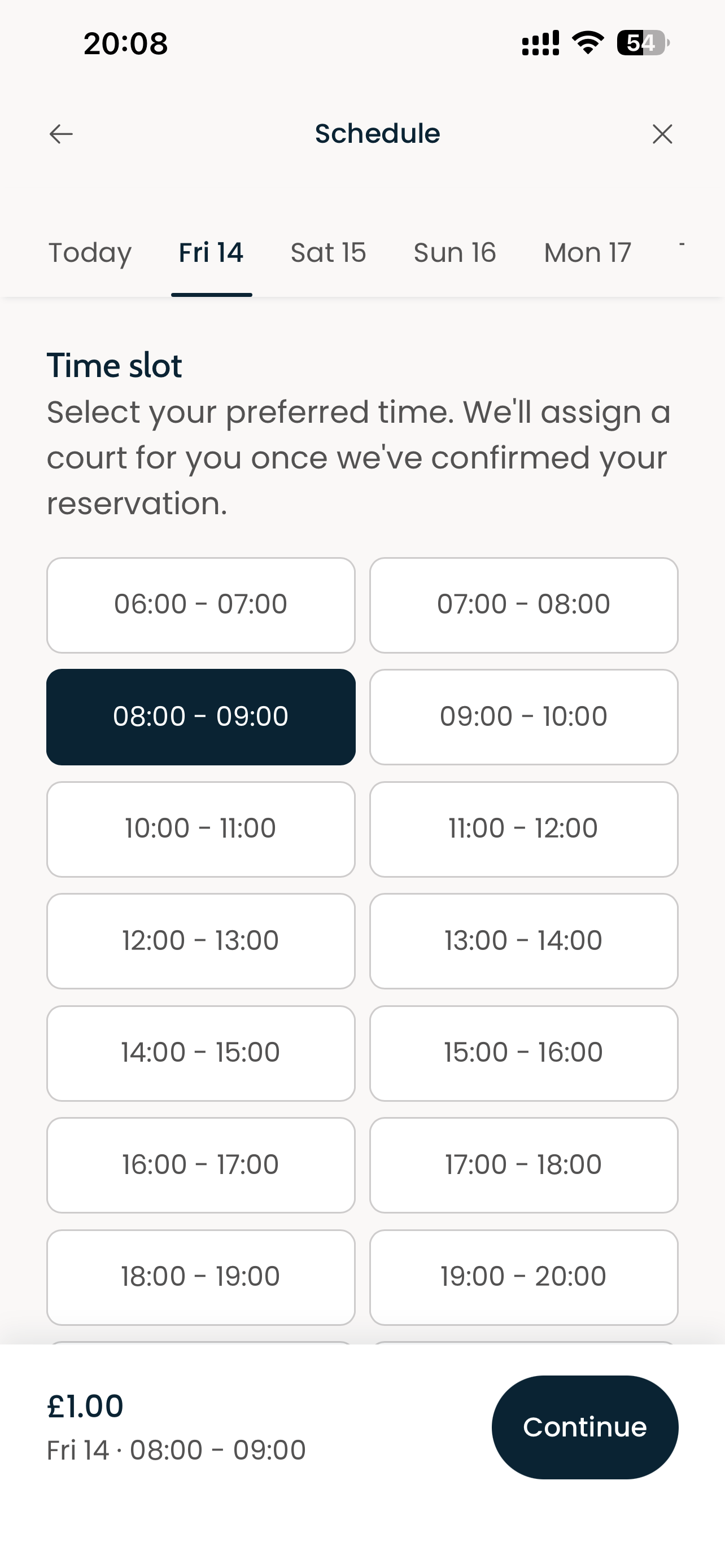
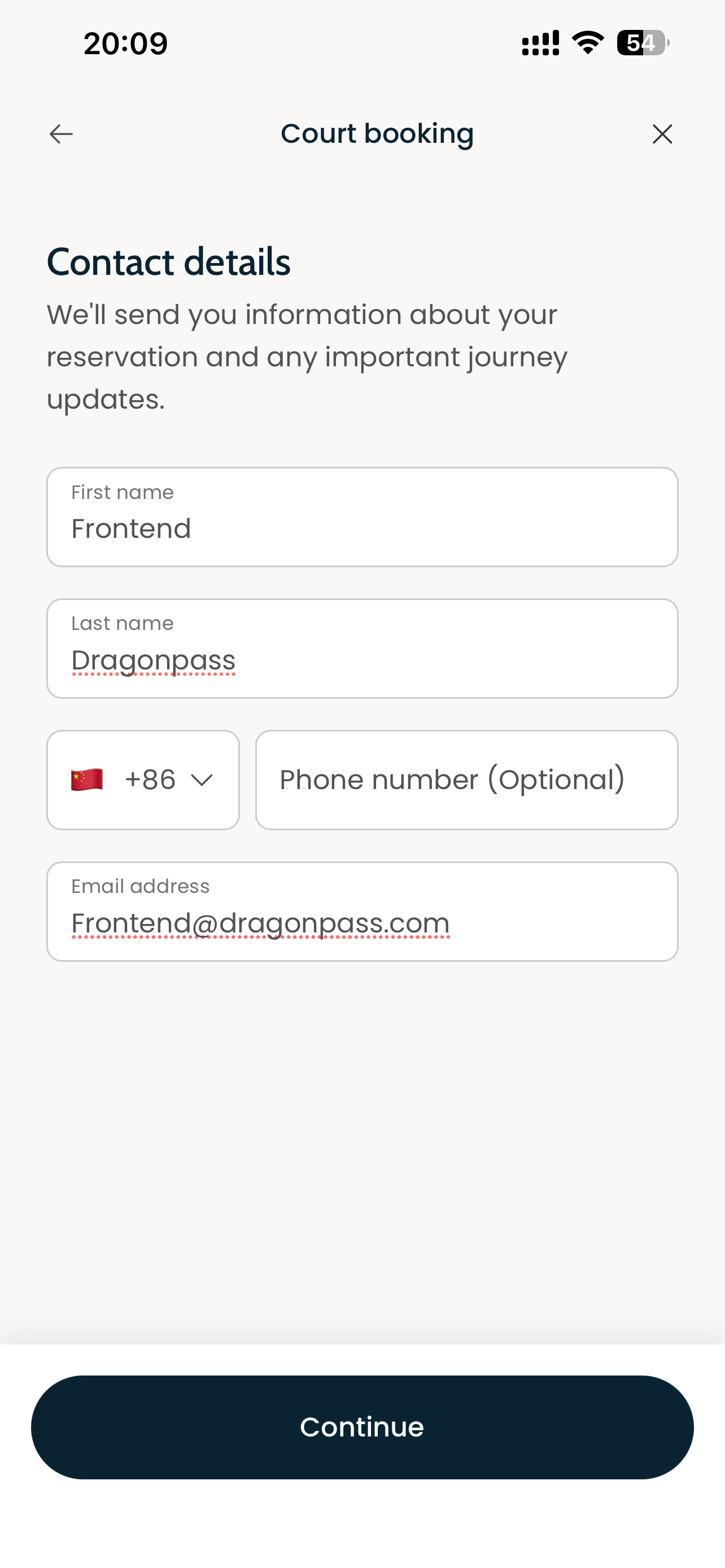
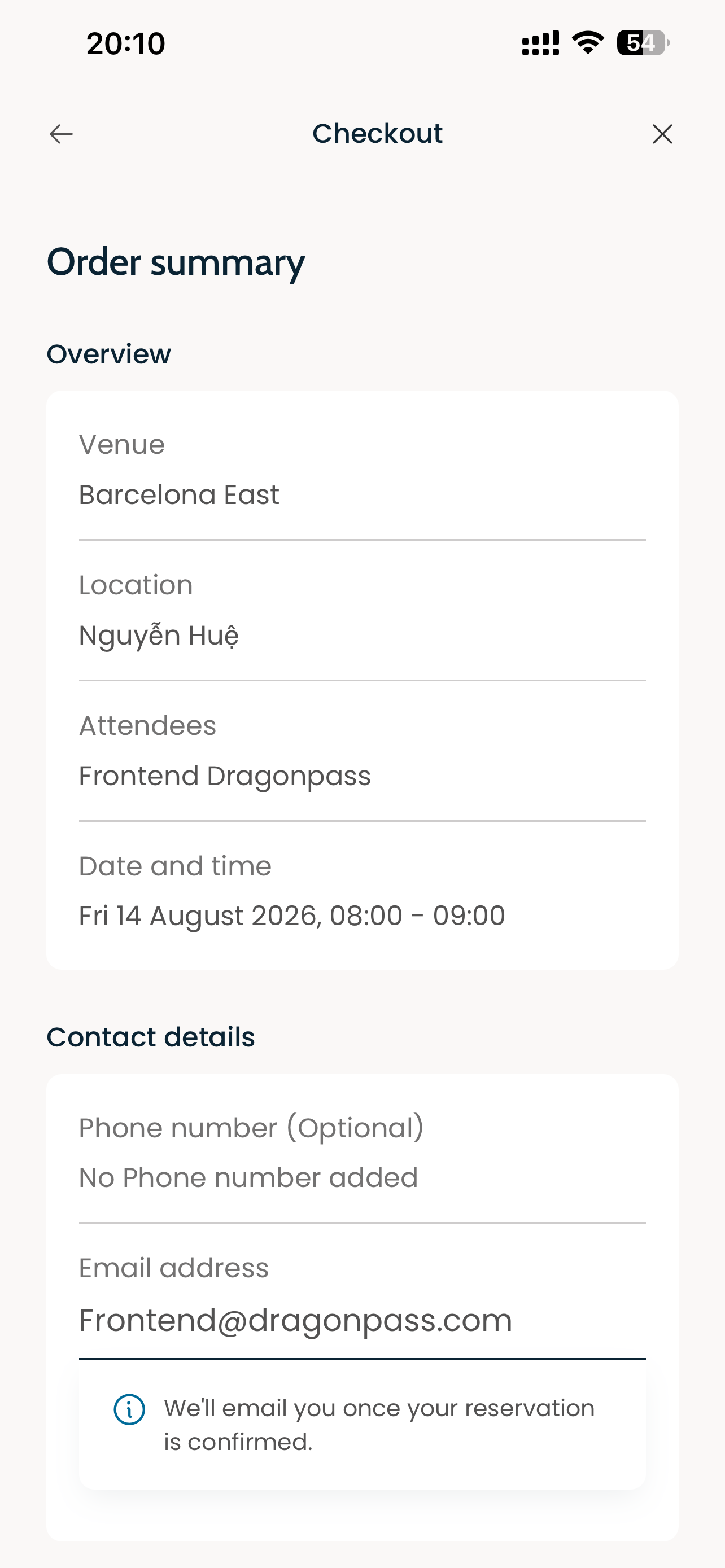
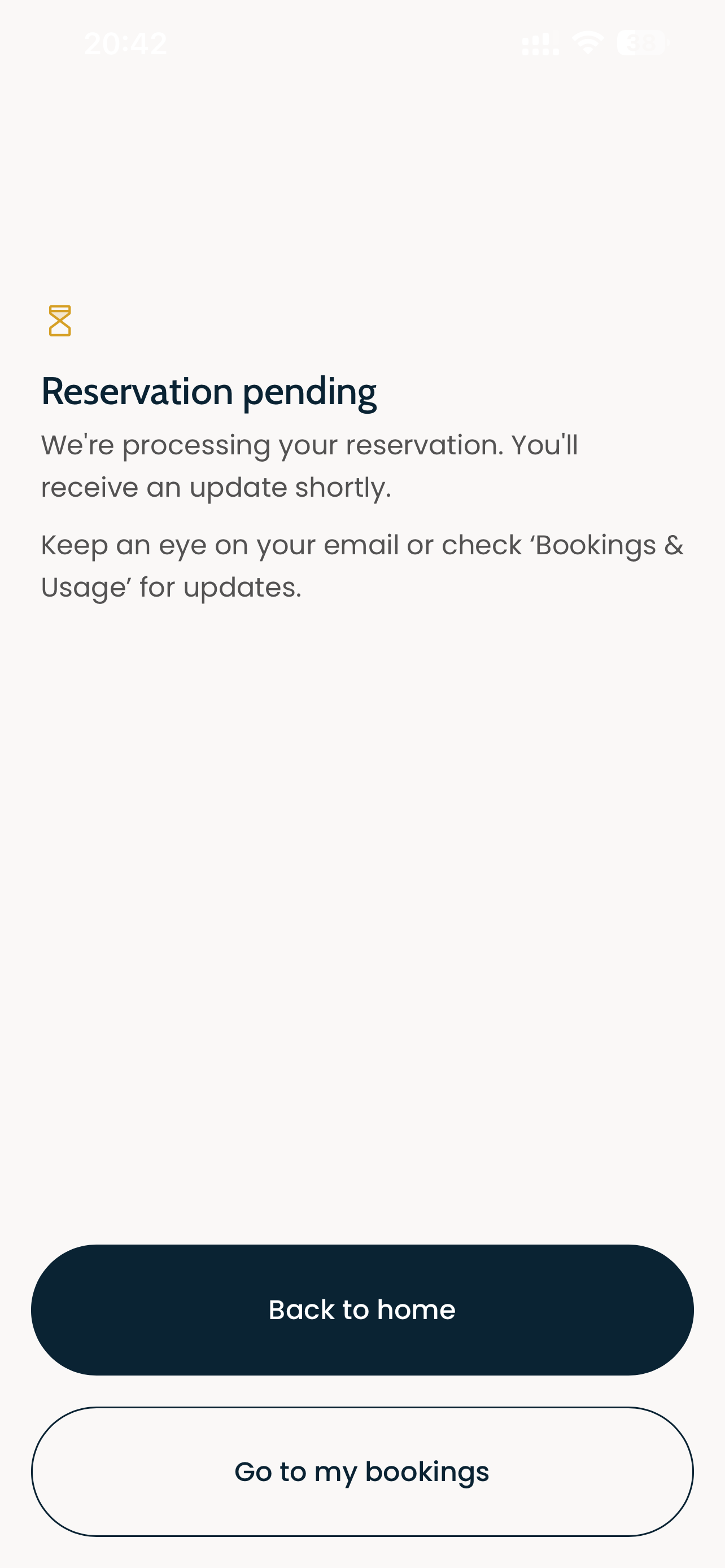
The Padel DPApp provides padel court booking services, allowing users to browse venues, book courts, and manage reservations — all within your host app.
User flow
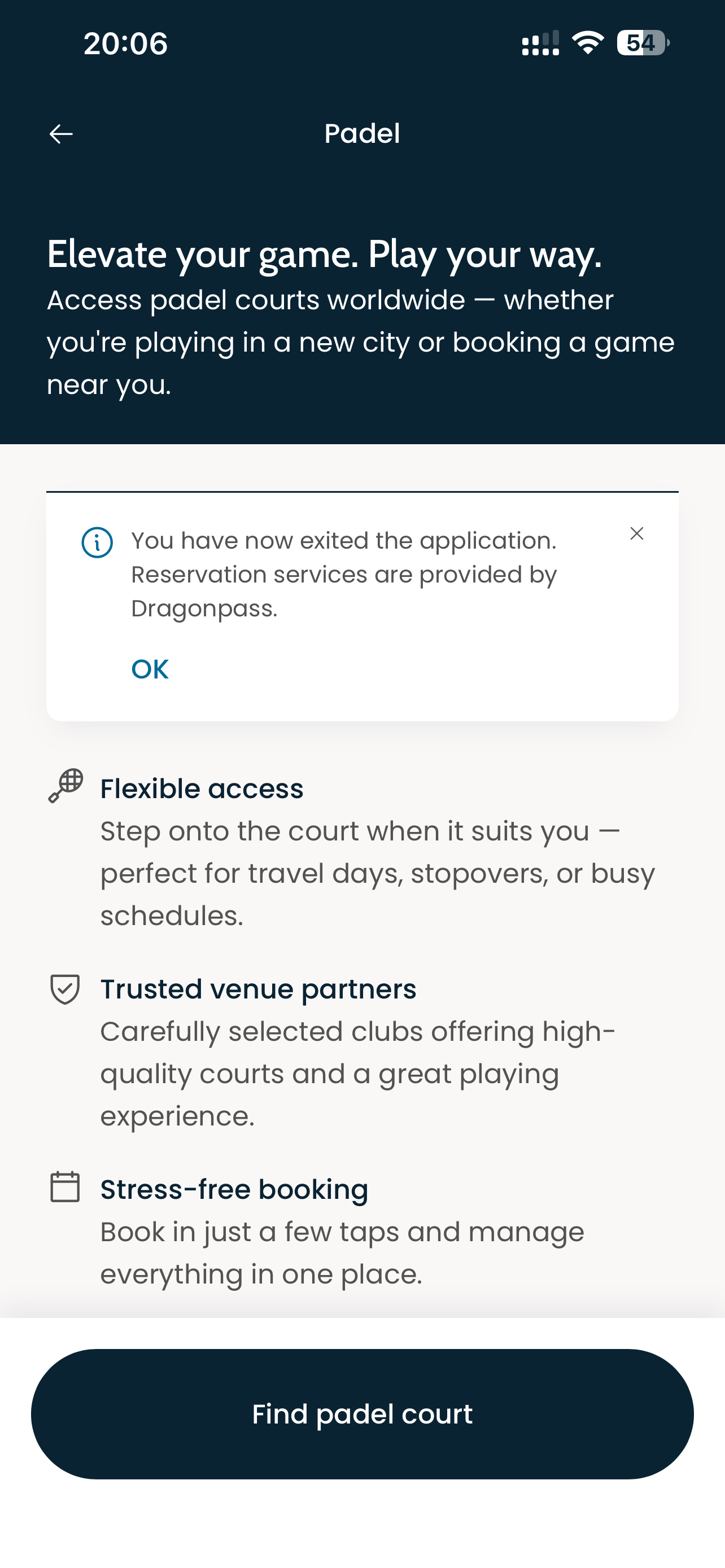
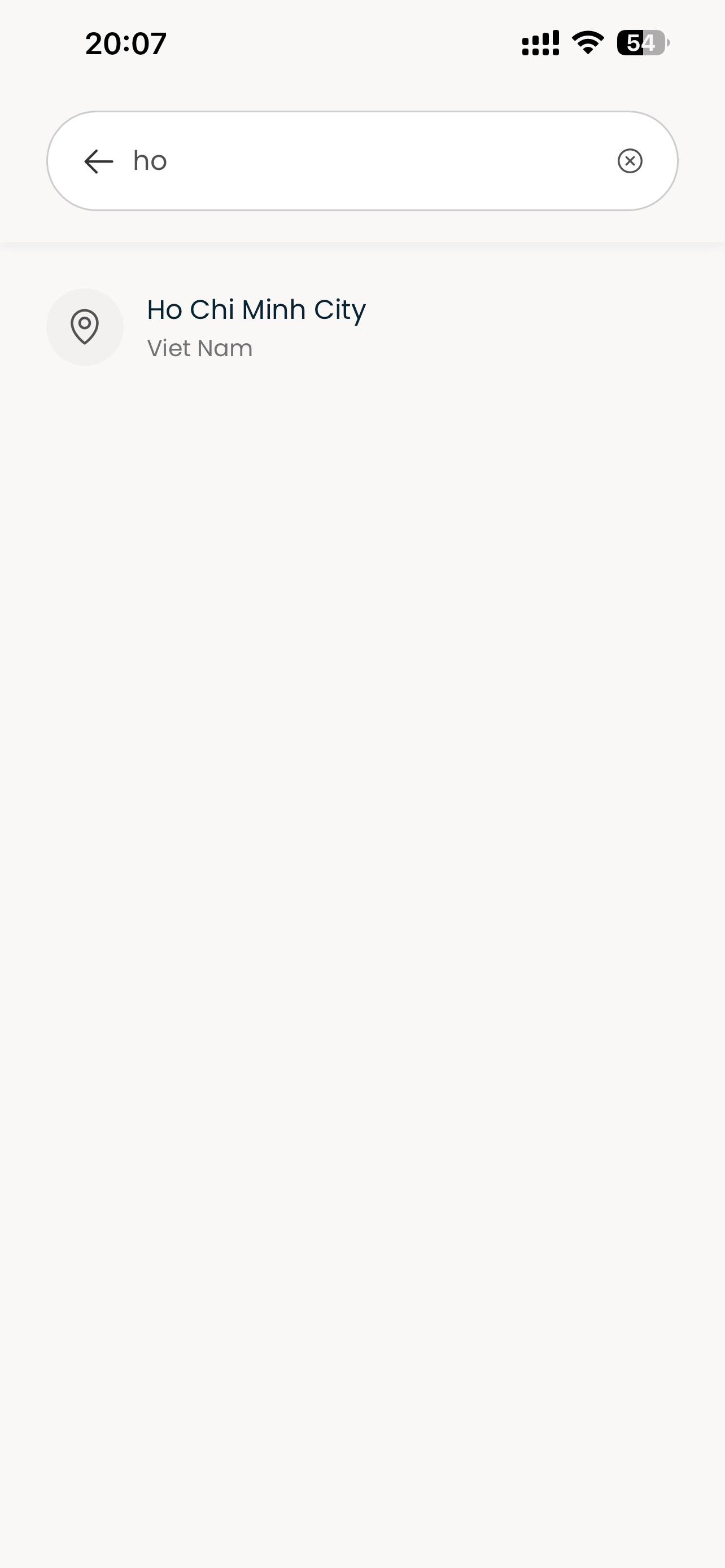
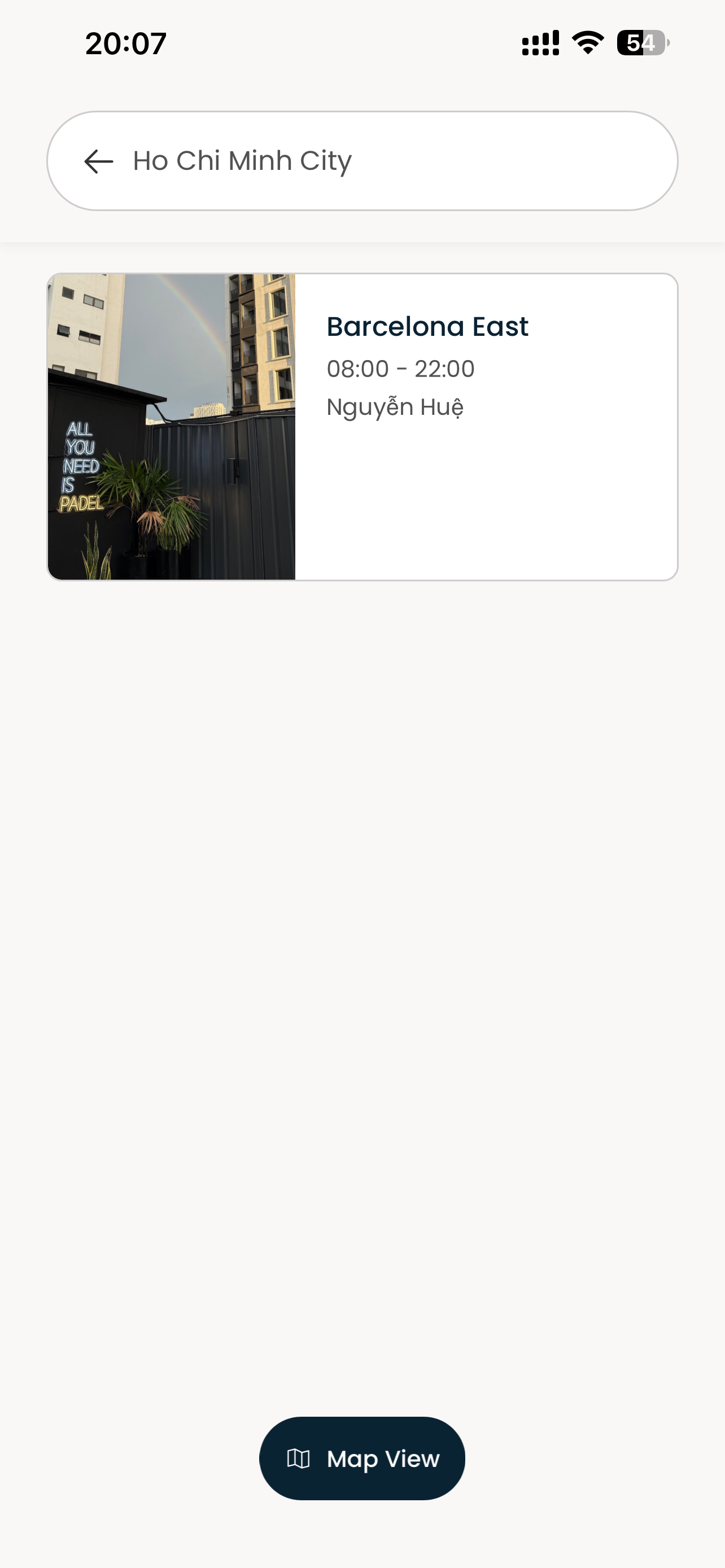
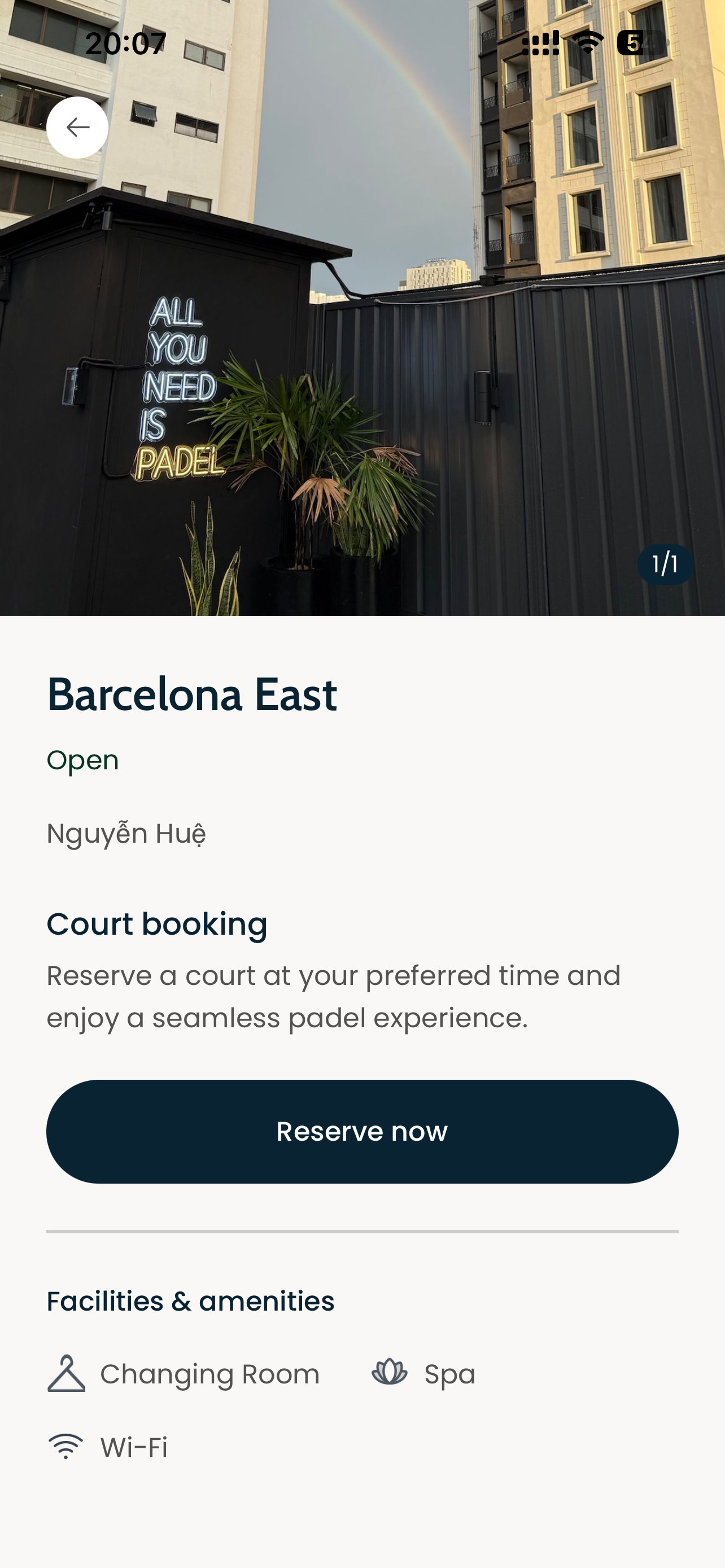
The Padel booking journey is shown from left to right.
Routes & Parameters
Pages are opened by the host app via DPSDK.open(appId: "padel", ...) (iOS) or DPSDK.getDPApp("padel").open(...) (Android), or navigated internally. Only the pages below can be opened via the SDK — other pages (e.g. Resource list, Schedule, Contact detail) are internal flow pages reached from within the app.
| PAGE NAME | PATH | Query parameters | Description |
|---|---|---|---|
| Landing | padel/landing | — | Home page with feature intro and "Find padel court" entry |
| Location search | padel/location-search | — | City / nearby location picker |
| Order detail | padel/order-detail | order_no | Order details & management |
Parameters
System parameters
These parameters are required and must always be included when opening the Padel DPApp.
| Parameter | Type | Required | Description | Example |
|---|---|---|---|---|
language | string | true | UI language of the app; supported values: zh-CN (Chinese, China), en-US (English, United States), zh-TW (Chinese, Taiwan), zh-HK (Chinese, Hong Kong), vi-VN (Vietnamese, Vietnam), id-ID (Indonesian, Indonesia), ja-JP (Japanese, Japan), ko-KR (Korean, South Korea), th-TH (Thai, Thailand) (default: en-US) | en-US |
tenant_code | string | true | Tenant code used for tenant isolation and validating the tenant configuration on the DP Platform | 0494 |
action_type | string | true | Access mode of the session; supported value: operate | operate |
channel | string | false | Distribution channel identifier of the host app, used for channel-level configuration and analytics, e.g. standard, eBridge (default: standard) | standard |
pro_code | string | true | Product code that determines which product the checkout flow lands on (IGC product) | IGC0494000001 |
module | string | true | Business module identifier used for module-level routing and configuration (11 for Padel) | 11 |
ℹ️ Parameter naming varies by category: this app uses
pro_codefor the product code. See System parameters for the full list.
Page parameters
These parameters are only needed when the corresponding page is opened directly.
Order detail (padel/order-detail)
| Parameter | Type | Required | Description | Example |
|---|---|---|---|---|
order_no | string | true | Booking order number of the reservation, required to load the order details when the page is opened directly | IGC20260813BN1SGXU |
Prerequisites
- A registered
clientIdfrom the DP Platform — contact us to get one - The
padelappId configured under your client - DP Hybrid SDK integrated into your host app
iOS
Open the Padel DPApp from any UIViewController:
// From any UIViewController
DPSDK.open(appId: "padel", from: self)
To open a specific page directly (e.g. landing or order detail), pass the page path and its query parameters in the params dictionary:
// Open the landing page (default)
DPSDK.open(appId: "padel", from: self)

// Open the landing page directly
DPSDK.open(
  appId: "padel",
  params: [
    "path": "padel/landing",
    "tenant_code": "0494",
    "action_type": "operate",
    "module": "11",
    "language": "en-US",
    "pro_code": "IGC0494000001",
  ],
  from: self
)

// Open the order detail page directly
DPSDK.open(
  appId: "padel",
  params: [
    "path": "padel/order-detail",
    "tenant_code": "0494",
    "action_type": "operate",
    "module": "11",
    "language": "en-US",
    "pro_code": "IGC0494000001",
    "order_no": "IGC20260813BN1SGXU",
  ],
  from: self
)
Note: the system parameters above are required whenever a page is opened directly. Page-specific parameters (e.g.
order_no,code,resource_id) are appended only for the pages that need them (see Page parameters).
Android
Open the Padel DPApp from any Activity or Fragment:
// From any Activity or Fragment
DPSDK.getDPApp("padel").open(this)
To open a specific page directly (e.g. landing or order detail), pass the page path to open() and set the query parameters via setExtraUrlParams:
// Open the landing page (default)
DPSDK.getDPApp("padel").open(this)

// Open the landing page directly
val dpApp = DPSDK.getDPApp("padel")
dpApp.setDPAppConfig(
  DPAppConfig.Builder()
    .setExtraUrlParams(
      hashMapOf(
        "tenant_code" to "0494",
        "action_type" to "operate",
        "module" to "11",
        "language" to "en-US",
        "pro_code" to "IGC0494000001",
      )
    )
    .build()
).open(this, "padel/landing")

// Open the order detail page directly
val orderDpApp = DPSDK.getDPApp("padel")
orderDpApp.setDPAppConfig(
  DPAppConfig.Builder()
    .setExtraUrlParams(
      hashMapOf(
        "tenant_code" to "0494",
        "action_type" to "operate",
        "module" to "11",
        "language" to "en-US",
        "pro_code" to "IGC0494000001",
        "order_no" to "IGC20260813BN1SGXU",
      )
    )
    .build()
).open(this, "padel/order-detail")
Note: the system parameters above are required whenever a page is opened directly. Page-specific parameters (e.g.
order_no,code,resource_id) are appended only for the pages that need them (see Page parameters).
Handling order results
When a booking is placed or an order detail is opened, the host app can listen for URL changes to react to the result (e.g. refresh its own order list after a successful booking). See DPApp URL Listener for the full API.
// iOS
DPApp.delegate = self

extension ViewController: DPAppCustomDelegate {
  func didDPAppChangeUrlEvent(DPApp: DPApp, url: URL) {
    // url.path contains the DPApp page path, e.g. "padel/order-detail"
  }
}
// Android
val dpApp = DPSDK.getDPApp("padel")
dpApp.setUrlChangeListener { activity, url ->
  // url?.path contains the DPApp page path, e.g. "padel/order-detail"
}.open(this)
Reference
- Getting Started — SDK installation & initialization
- Connect — SSO setup
- Custom Events System — Handle DPApp events
- Error Codes — Error code reference