Local Offer
The Local Offer DPApp provides location-based deals and discounts, allowing users to discover, browse, and redeem exclusive local offers, dining deals, and lifestyle experiences directly within your host app.
User flow
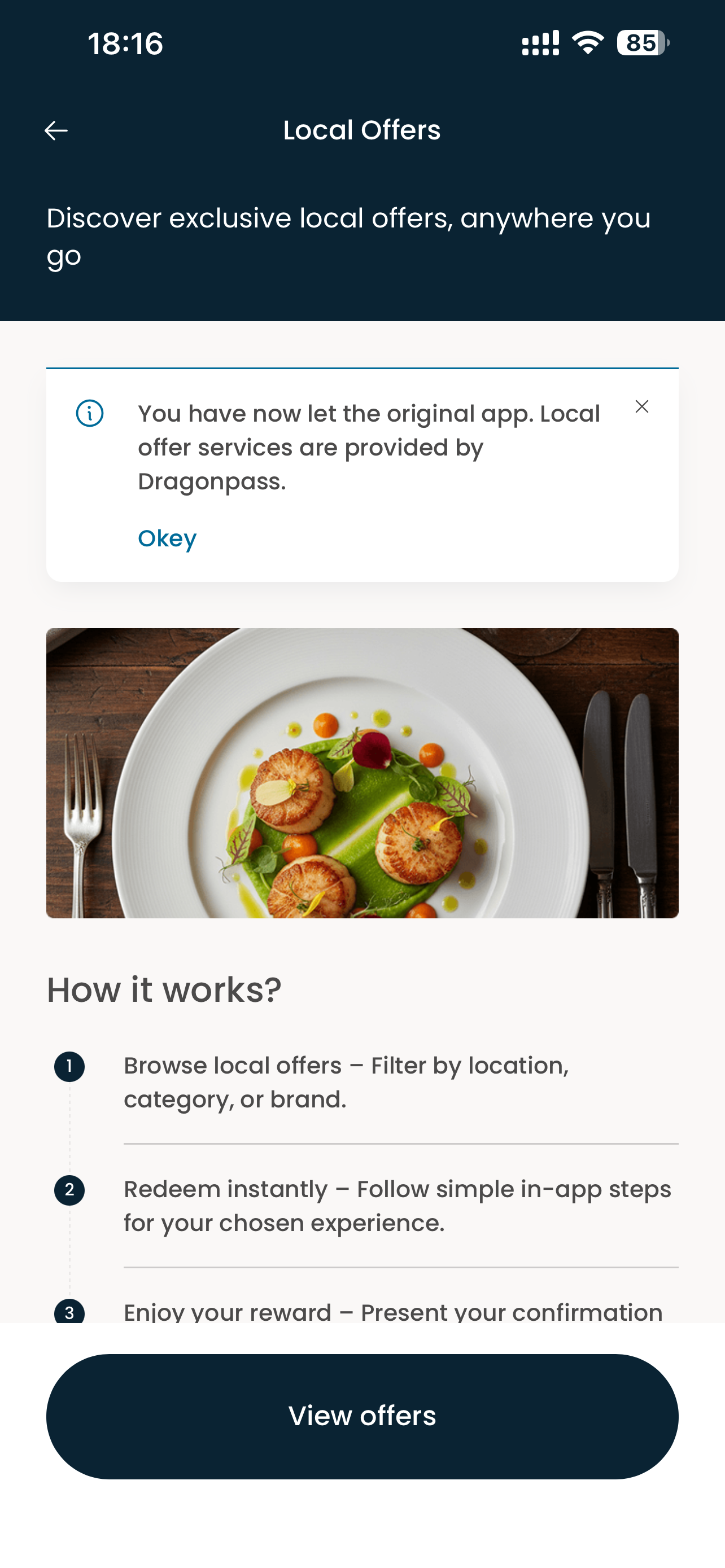
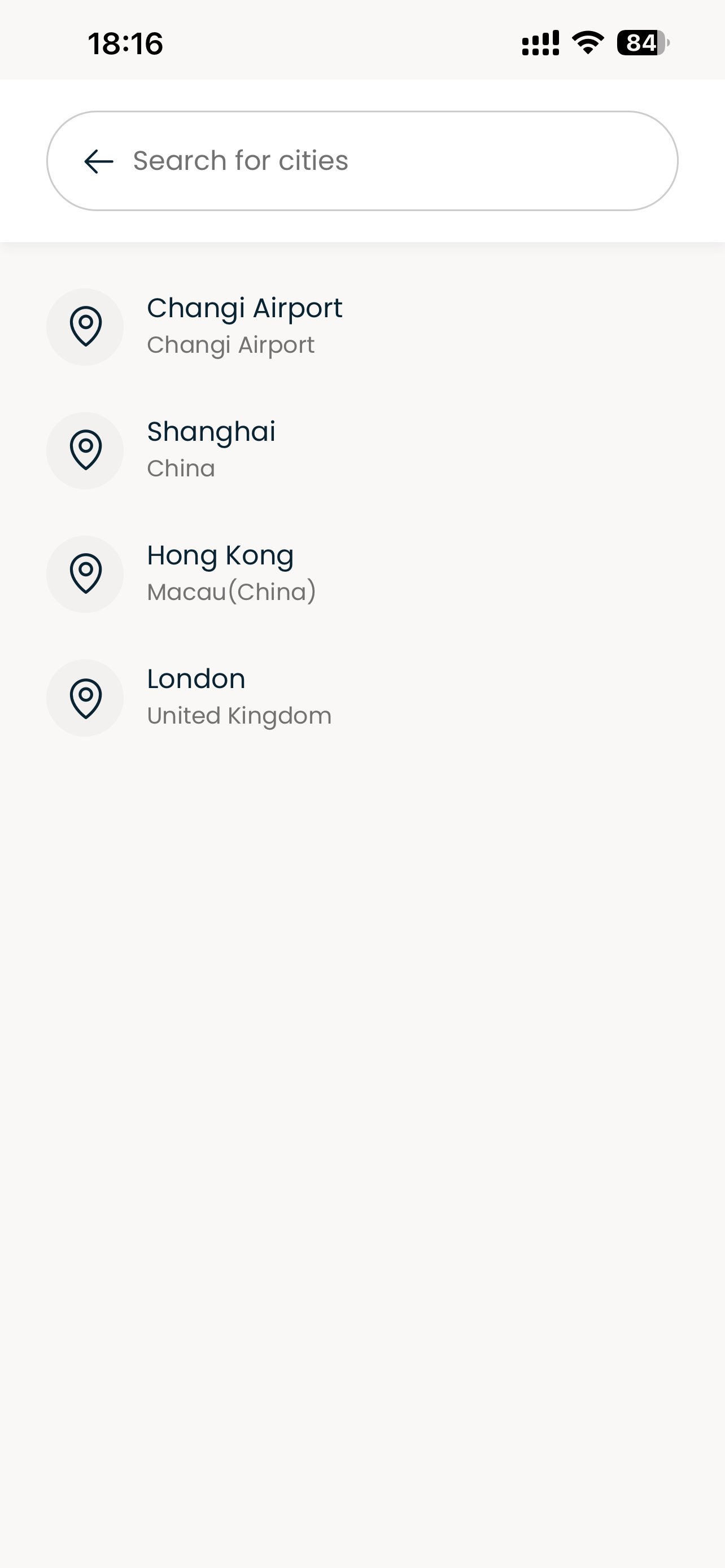
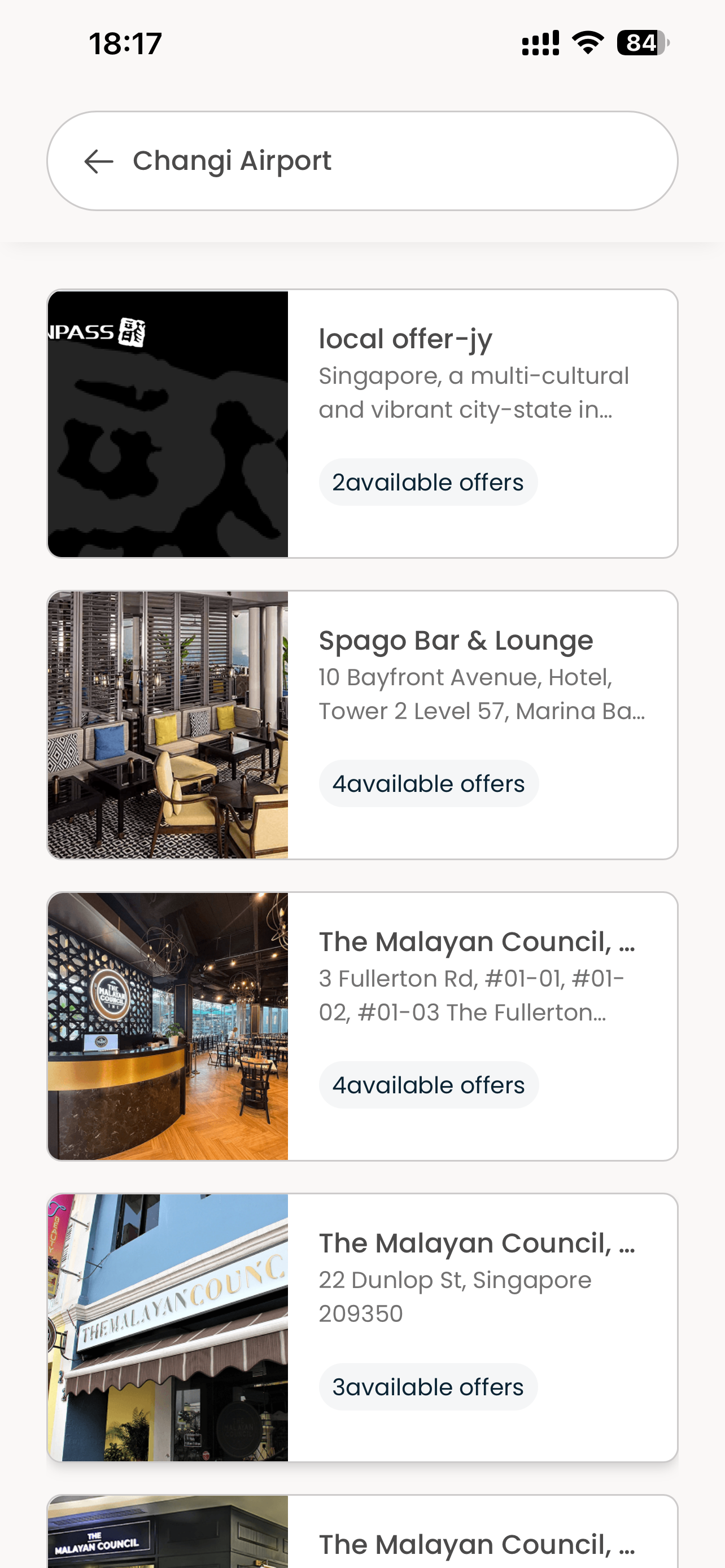
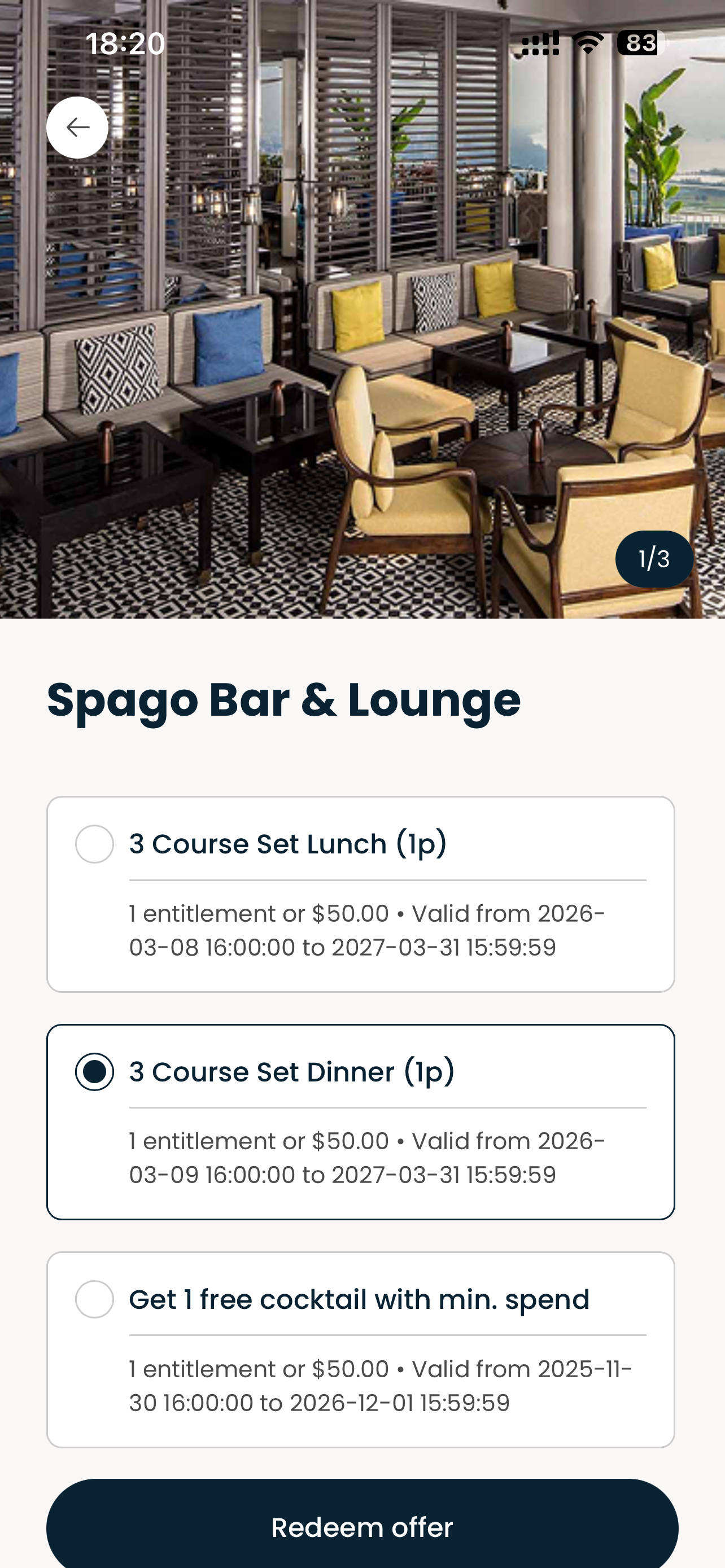
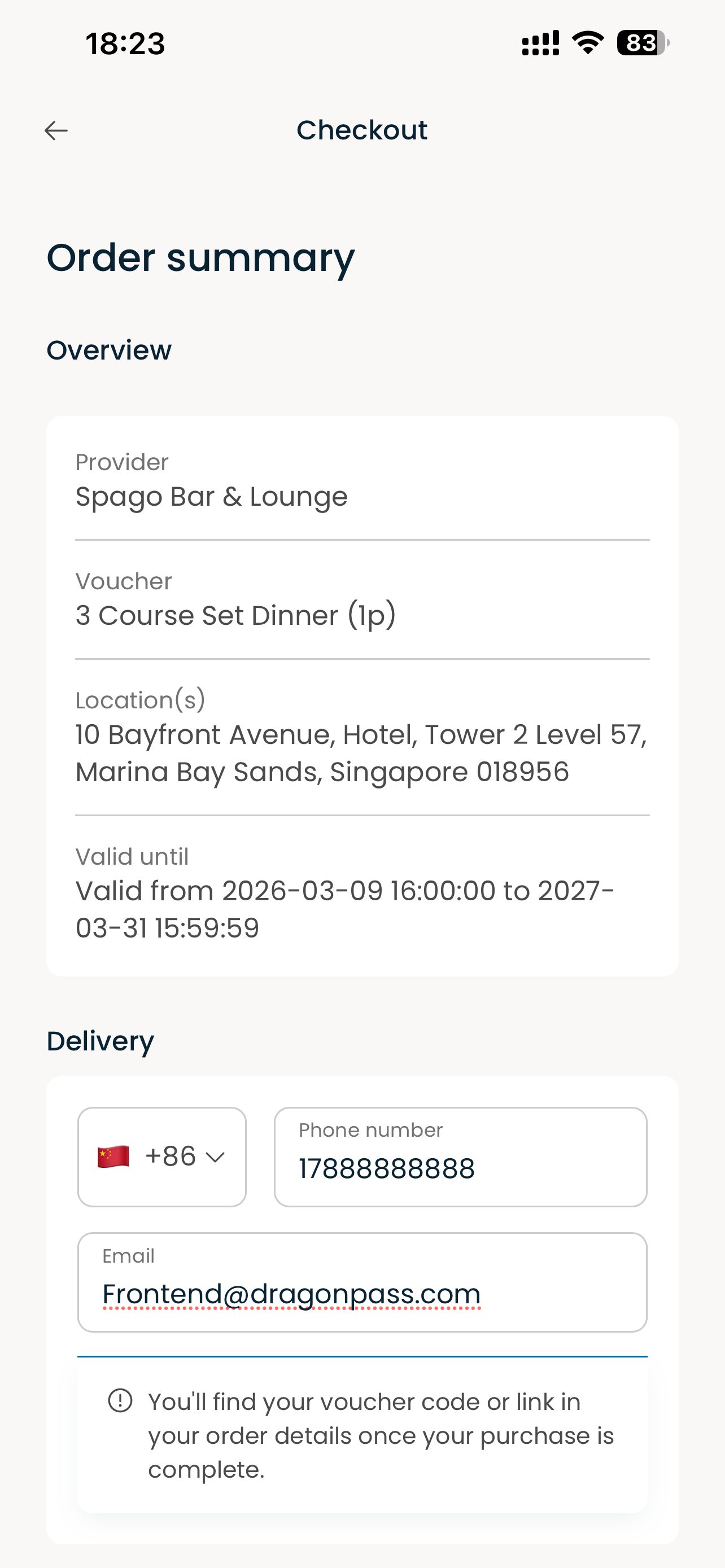
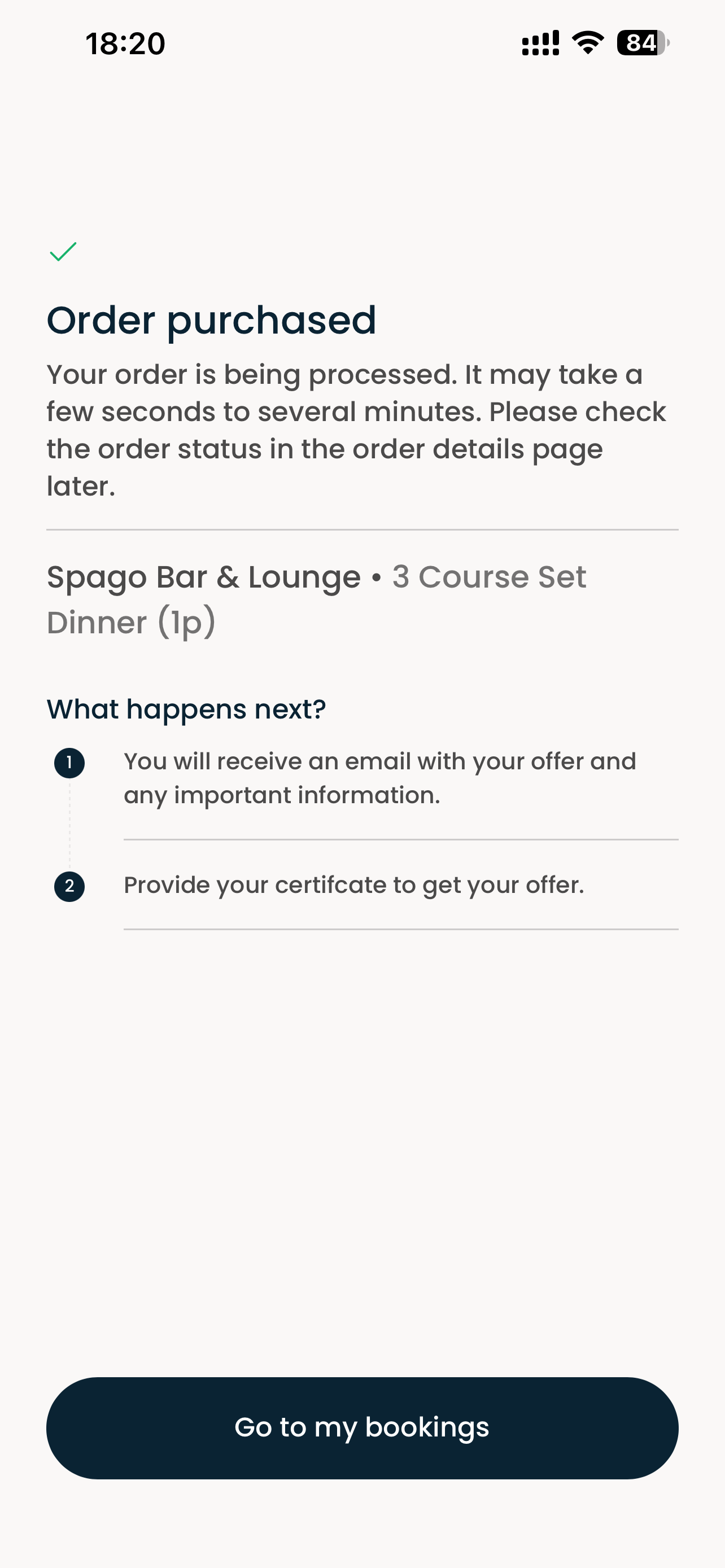
The Local Offer journey is shown from left to right.
Routes & Parameters
Pages are opened by the host app via DPSDK.open(appId: "localOffer", ...) (iOS) or DPSDK.getDPApp("localOffer").open(...) (Android), or navigated internally. Only the pages below can be opened via the SDK — other pages (e.g. Resource detail, Order summary, Location search) are internal flow pages reached from within the app.
| PAGE NAME | PATH | Query parameters | Description |
|---|---|---|---|
| Landing | local-offer/landing | — | Home page for discovering local offers, dining deals and lifestyle experiences |
| Order detail | local-offer/order-detail | order_no | Order details & management |
Parameters
System parameters
These parameters are required and must always be included when opening the Local Offer DPApp.
| Parameter | Type | Required | Description | Example |
|---|---|---|---|---|
language | string | true | UI language of the app; supported values: en-US (English, United States) (default: en-US) | en-US |
tenant_code | string | true | Tenant code used for tenant isolation and validating the tenant configuration on the DP Platform | 0494 |
action_type | string | true | Access mode of the session; supported value: operate | operate |
channel | string | false | Distribution channel identifier of the host app, used for channel-level configuration and analytics, e.g. standard, eBridge (default: standard) | standard |
pro_code | string | true | Product code that determines which product the checkout flow lands on (ISC product) | ISC0494000001 |
module | string | true | Business module identifier used for module-level routing and configuration (8 for Local Offer) | 8 |
ℹ️ Parameter naming varies by category: this app uses
pro_codefor the product code. See System parameters for the full list.
Page parameters
These parameters are only needed when the corresponding page is opened directly.
Order detail (local-offer/order-detail)
| Parameter | Type | Required | Description | Example |
|---|---|---|---|---|
order_no | string | true | Order number of the offer order, required to load the order details when the page is opened directly | ISC20260730BG67X97 |
Prerequisites
- A registered
clientIdfrom the DP Platform — contact us to get one - The
localOfferappId configured under your client - DP Hybrid SDK integrated into your host app
iOS
Open the Local Offer DPApp from any UIViewController:
// From any UIViewController
DPSDK.open(appId: "localOffer", from: self)
To open a specific page directly (e.g. landing or order detail), pass the page path and its query parameters in the params dictionary:
// Open the landing page (default)
DPSDK.open(appId: "localOffer", from: self)

// Open the landing page directly
DPSDK.open(
  appId: "localOffer",
  params: [
    "path": "local-offer/landing",
    "tenant_code": "0494",
    "action_type": "operate",
    "module": "8",
    "language": "en-US",
    "pro_code": "ISC0494000001",
  ],
  from: self
)

// Open the order detail page directly
DPSDK.open(
  appId: "localOffer",
  params: [
    "path": "local-offer/order-detail",
    "tenant_code": "0494",
    "action_type": "operate",
    "module": "8",
    "language": "en-US",
    "pro_code": "ISC0494000001",
    "order_no": "ISC20260730BG67X97",
  ],
  from: self
)
Note: the system parameters above are required whenever a page is opened directly. Page-specific parameters (e.g.
order_no,code,resource_id) are appended only for the pages that need them (see Page parameters).
Android
Open the Local Offer DPApp from any Activity or Fragment:
// From any Activity or Fragment
DPSDK.getDPApp("localOffer").open(this)
To open a specific page directly (e.g. landing or order detail), pass the page path to open() and set the query parameters via setExtraUrlParams:
// Open the landing page (default)
DPSDK.getDPApp("localOffer").open(this)

// Open the landing page directly
val dpApp = DPSDK.getDPApp("localOffer")
dpApp.setDPAppConfig(
  DPAppConfig.Builder()
    .setExtraUrlParams(
      hashMapOf(
        "tenant_code" to "0494",
        "action_type" to "operate",
        "module" to "8",
        "language" to "en-US",
        "pro_code" to "ISC0494000001",
      )
    )
    .build()
).open(this, "local-offer/landing")

// Open the order detail page directly
val orderDpApp = DPSDK.getDPApp("localOffer")
orderDpApp.setDPAppConfig(
  DPAppConfig.Builder()
    .setExtraUrlParams(
      hashMapOf(
        "tenant_code" to "0494",
        "action_type" to "operate",
        "module" to "8",
        "language" to "en-US",
        "pro_code" to "ISC0494000001",
        "order_no" to "ISC20260730BG67X97",
      )
    )
    .build()
).open(this, "local-offer/order-detail")
Note: the system parameters above are required whenever a page is opened directly. Page-specific parameters (e.g.
order_no,code,resource_id) are appended only for the pages that need them (see Page parameters).
Handling order results
When a booking is placed or an order detail is opened, the host app can listen for URL changes to react to the result (e.g. refresh its own order list after a successful booking). See DPApp URL Listener for the full API.
// iOS
DPApp.delegate = self

extension ViewController: DPAppCustomDelegate {
  func didDPAppChangeUrlEvent(DPApp: DPApp, url: URL) {
    // url.path contains the DPApp page path, e.g. "local-offer/order-detail"
  }
}
// Android
val dpApp = DPSDK.getDPApp("localOffer")
dpApp.setUrlChangeListener { activity, url ->
  // url?.path contains the DPApp page path, e.g. "local-offer/order-detail"
}.open(this)
Reference
- Getting Started — SDK installation & initialization
- Connect — SSO setup
- Custom Events System — Handle DPApp events
- Error Codes — Error code reference